
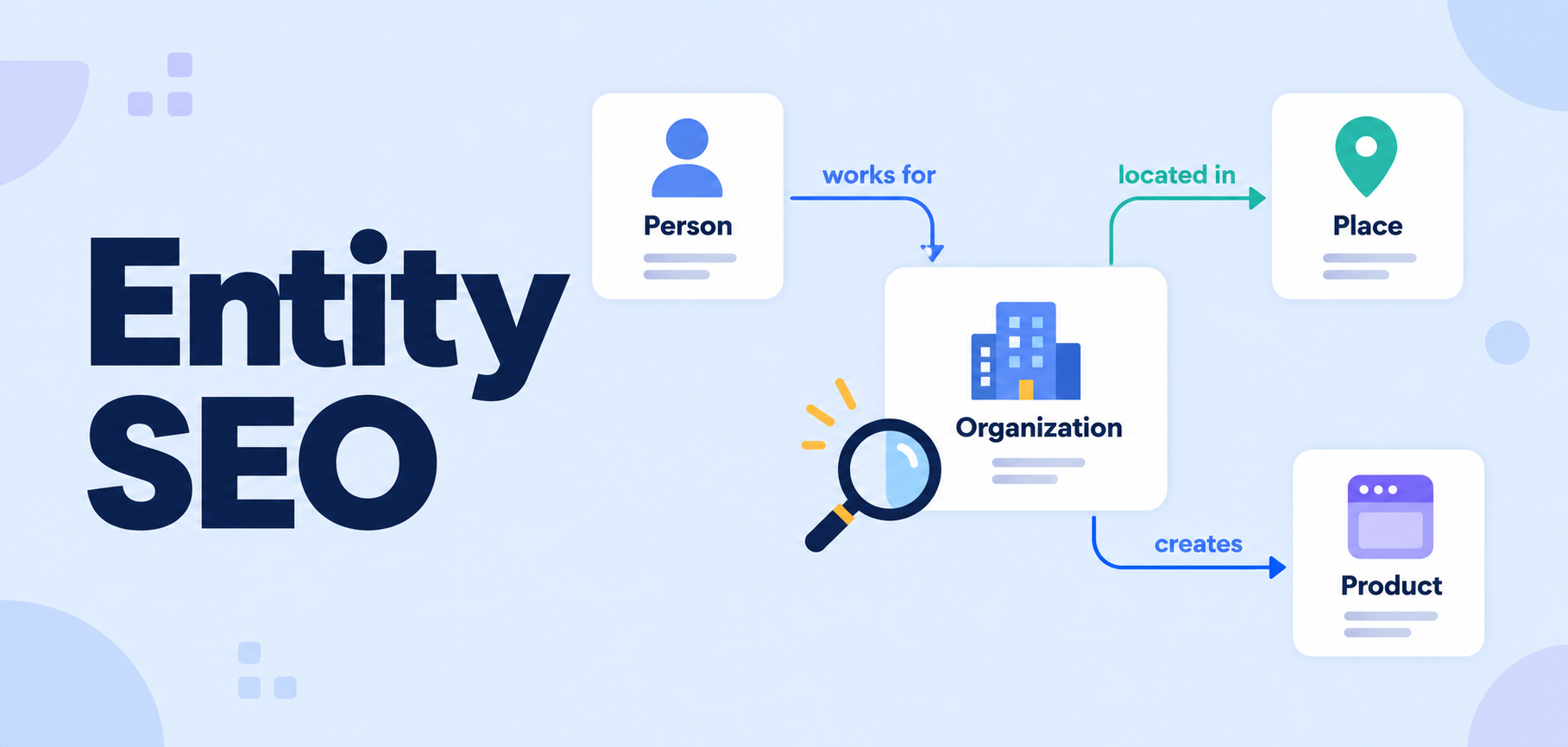
Entity SEO is the practice of helping search engines and AI systems recognize the real-world things your content is about: the people, places, organizations, products, and concepts a topic covers.
Keywords are strings of text, while entities are the specific things those strings refer to, each with an identity, a type, and relationships to other things.
That difference decides whether Google and AI assistants understand exactly what your content is about, or just see a set of words that happen to match a query.
This guide goes deeper than definitions.
You’ll see how Google stores entities, how to check what it knows about your brand using two of Google’s own APIs, and how to build a connected entity graph on your site with real JSON-LD (the structured data format Google recommends) you can adapt.
Key highlights
- Google has organized search around entities since 2012. Its own phrase for it was “things, not strings.”
- The Knowledge Graph is the store behind it. Google describes it as a database of “billions of facts about people, places, and things.”
- AI search leans on it too. Google says AI Mode can tap into sources “like the Knowledge Graph” when it builds answers.
- You can check how Google sees you. The Knowledge Graph Search API and the Cloud Natural Language API both expose entity data you can test against.
- Entity signals live on and off your site. Connected structured data, clear on-page language, and consistent third-party mentions all point to the same entity.
What is an entity in SEO?
An entity is a single, distinct thing that can be identified: a person, an organization, a place, a product, an event, or even an abstract concept like “web accessibility.”
What makes it an entity, rather than just a word, is that it has a stable identity that doesn’t change with how people describe it.
Google introduced this idea to search in May 2012, when Amit Singhal, then its SVP of Engineering, announced the Knowledge Graph. He described a system that “understands real-world entities and their relationships to one another: things, not strings.”
His example is still the clearest one. A search for “taj mahal” could mean the monument in India, the Grammy-winning musician, or, at the time, a casino in Atlantic City.
The string is identical, but those are three different entities with three different sets of facts, and a search engine that only matches text can’t tell them apart.
You can watch Google make that call today. Search “taj mahal” and the AI Overview describes the monument, grounded in Wikipedia and UNESCO.
Add one word, “taj mahal musician,” and Google switches to a completely different entity: a person, with attributes like age and music group that a building could never have.


What an entity is made of
Every entity in a knowledge graph is built from the same basic parts:
| Part | What it is | Example (the Taj Mahal monument) |
|---|---|---|
| Identifier | A unique ID that never changes, even if names do | kg:/m/0l8cb in Google’s Knowledge Graph, Q9141 in Wikidata |
| Type | The category it belongs to | Mausoleum, tourist attraction |
| Names and aliases | All the strings that can refer to it | “Taj Mahal”, “Crown of the Palace” |
| Attributes | Facts about the entity itself | Location, architect, year completed |
| Relationships | Links to other entities | Located in Agra, commissioned by Shah Jahan |
The last row, relationships, is where the value is.
A search engine that knows the monument is related to Agra, Shah Jahan, and Mughal architecture can answer questions it has never seen word for word, because it’s reasoning about things and their connections rather than counting matching words.

You can see these parts on a real record.
Wikidata is a free, open knowledge base that took in much of Freebase’s data when Google shut that project down. It stores the monument as item Q9141, with a description that separates it from its namesakes and statements that define what kind of thing it is.

Further down the same record is the entity’s Freebase ID, /m/0l8cb. Google bought Freebase’s parent company, Metaweb, in 2010 and used Freebase as a foundation for the Knowledge Graph.
Many Knowledge Graph IDs still carry that /m/ format (newer ones can start with /g/ instead), which is why the same ID turns up when you query Google directly later in this guide.

How Google stores entities: the Knowledge Graph
The Knowledge Graph is Google’s database of entities and the facts that connect them. In 2012 it held “more than 500 million objects, as well as more than 3.5 billion facts.”
Today Google’s own help documentation only says “billions of facts,” and it hasn’t published a current total.
Note: You’ll often see the figure “1.6 trillion facts about 54 billion entities.” It comes from Kalicube, an entity SEO firm, and is repeated in a May 2026 Ahrefs article, but Google itself hasn’t published it. Treat it as an outside estimate.
Google says the facts come from several places. It licenses some data, such as sports scores, stock prices, and weather, and it also gets “factual information directly from content owners.”
Knowledge panels, the information boxes you see for well-known entities, are “created automatically by Google Search Algorithm when there is enough information available on the open web.”
The graph isn’t static, either.
Jason Barnard, founder of Kalicube, has tracked it since 2015, and his data showed that it shrank by 6.26% across two updates in June 2025, removing more than 3 billion entities in about a week.
His reading is that Google was pruning vague or duplicate entities to build a cleaner foundation for its AI features.
If he’s right, the practical takeaway is clear. An entity Google isn’t confident about can be dropped, so clarity matters more than simply existing in the graph.
Why entities matter even more in AI search
A list of links can still be useful when a search engine is only partly sure what each page is about.
An AI answer can’t work that way. AI search systems have to read a question, work out what it’s about, gather facts from several sources, and write one answer they can stand behind.
Entities are how that works at scale. When Google introduced AI Mode in March 2025, Robby Stein, VP of Product for Search, said it can “tap into fresh, real-time sources like the Knowledge Graph.”
It also uses a “query fan-out” technique, “issuing multiple related searches concurrently across subtopics and multiple data sources,” then combining the results.

Here’s what that means for you. If an AI system can’t confidently connect your brand name to a single, well-described entity, it has two bad options: leave you out, or describe you using whatever information it happens to find.
There’s also evidence that what other sites say about you is linked to AI visibility. In an Ahrefs study of 75,000 brands, brand web mentions correlated with AI Overview visibility at 0.664, compared with 0.218 for backlinks.
The study only covered established brands, and the authors call these “moderate to very weak correlations,” but the gap between the two is hard to ignore.
Tip: For a broader view of how AI assistants currently describe your brand, run the self-check in our guide to AI search visibility. Entity work is usually the fix for the problems it uncovers.
How to check whether Google sees you as an entity
You don’t have to guess. Google exposes entity data through two developer tools, both available through a Google Cloud account, and there’s a quick no-code check too.
Method 1: Query the Knowledge Graph Search API
The Knowledge Graph Search API lets you look up entities in Google’s Knowledge Graph by name or ID. A basic request looks like this:
https://kgsearch.googleapis.com/v1/entities:search?query=taj+mahal&key=YOUR_API_KEY&limit=1&indent=TrueWe ran that request for “taj mahal” in Google’s APIs Explorer on October 16, 2026. Here’s the live response, trimmed to the fields that matter:
json


{
  "@type": "ItemList",
  "itemListElement": [
    {
      "resultScore": 14139.939453125,
      "@type": "EntitySearchResult",
      "result": {
        "description": "Mausoleum in Agra, India",
        "url": "http://www.tajmahal.gov.in/",
        "@type": [
          "Cemetery",
          "Place",
          "Thing",
          "CivicStructure",
          "TouristAttraction",
          "LandmarksOrHistoricalBuildings"
        ],
        "detailedDescription": {
          "license": "...",
          "url": "https://en.wikipedia.org/wiki/Taj_Mahal",
          "articleBody": "The Taj Mahal is an ivory-white marble mausoleum on..."
        },
        "name": "Taj Mahal",
        "@id": "kg:/m/0l8cb"
      }
    }
  ]
}
Each field tells you something specific:
@idis the entity’s Knowledge Graph machine ID (herekg:/m/0l8cb). It matches the Freebase ID on the monument’s Wikidata record, so you know both records describe the same monument. If your brand has an@id, it exists as an entity in the graph.@typeshows how Google classifies it. The monument gets six types, includingPlace,TouristAttraction, andCemetery. A company showing up only asThingis classified less clearly than one typed asOrganizationorCorporation.descriptionanddetailedDescriptionshow the short label, plus a longer summary and the page it comes from. Here, that page is the Wikipedia article.urlis the website Google associates with the entity (here, the monument’s official site). For your brand, it should be your own site, and if it isn’t, that’s worth fixing.resultScoreis, in Google’s words, “an indicator of how well the entity matched the request constraints.” It’s useful for comparing results within one search, not as an absolute quality score.

Note: Google’s documentation is direct about the limits. The API is read-only, “not suitable for use as a production-critical service,” and “returns only individual matching entities, rather than graphs of interconnected entities.” Use it to check, not to build on.
Method 2: Run your page through the Natural Language API
The Knowledge Graph API tells you whether your brand is an entity.
The Cloud Natural Language API tells you something different: which entities Google’s language models detect in a piece of your text, and which one the text is mainly about.
Here’s a request that analyzes a sentence from a product page (using a fictional company, Northwind Analytics):
bash

curl -X POST \
  -H "Authorization: Bearer $(gcloud auth application-default print-access-token)" \
  -H "Content-Type: application/json; charset=utf-8" \
  --data '{
    "encodingType": "UTF8",
    "document": {
      "type": "PLAIN_TEXT",
      "content": "Northwind Analytics helps marketing teams audit website accessibility against WCAG 2.2."
    }
  }' \
  "https://language.googleapis.com/v1/documents:analyzeEntities"
The response lists every entity found. For each one it returns a structure like this (values here are placeholders, since the real numbers depend on your text):
json

{
  "name": "WCAG 2.2",
  "type": "<one of the documented entity types>",
  "metadata": {
    "mid": "/m/...",
    "wikipedia_url": "https://en.wikipedia.org/wiki/..."
  },
  "salience": "<number between 0 and 1>",
  "mentions": [
    { "text": { "content": "WCAG 2.2", "beginOffset": 78 }, "type": "PROPER" }
  ]
}
Three fields are worth your attention:
salienceis a score from 0 to 1 that, per Google, “provides information about the importance or centrality of that entity” in the text. On a product page, your product or brand should have the highest salience. If a generic term outranks it, the copy isn’t centered on what you think it is.metadata.midandmetadata.wikipedia_urlappear only when Google can link the mention to a known entity, “if they are available.” A brand name that comes back without amidis being read as plain text, not as a recognized entity.typeshows the category Google assigned, from a fixed list that includes PERSON, ORGANIZATION, LOCATION, EVENT, WORK_OF_ART, and CONSUMER_GOOD.

Method 3: Search for your brand and look for a knowledge panel
The low-tech check still matters. Search for your exact brand name and see whether a knowledge panel appears on the right (desktop) or near the top (mobile).
If one appears, Google has enough confidence to show facts about you. You or an official representative can claim it through Google’s “Get verified on Google” process and suggest changes.
If nothing appears, that doesn’t mean you aren’t an entity, only that Google doesn’t yet have enough corroborated information to display one.
How to optimize for entities: a worked example
Let’s make this concrete with Northwind Analytics, a fictional SaaS company that sells a website accessibility audit tool called Northwind Pulse.
Its goal is for Google and AI assistants to understand three things clearly: what Northwind Analytics is, what Northwind Pulse does, and who leads the company.
Step 1: Choose one “entity home” for each entity
Kalicube’s Jason Barnard defines an entity home as “a single page representing the entity,” and says “it’s where all information about an entity converges in a clear and structured manner.”
The idea is that every signal about an entity, on your site and off it, should point back to one authoritative page.
For Northwind, that means:
| Entity | Entity home |
|---|---|
| Northwind Analytics (the company) | /about/ |
| Northwind Pulse (the product) | /pulse/ |
| Dana Reyes (the CEO) | /about/dana-reyes/ |
Google’s own Organization markup guidance points the same way, recommending you place organization details “on your home page, or a single page that describes your organization.”
Step 2: Build a connected JSON-LD graph with @id
Many sites add structured data as separate, disconnected blocks: an Organization here, an Article there.
Each block describes something, but nothing tells the machine that the author of the article is the same person as the CEO on the About page.
The fix is the JSON-LD @id property. The W3C JSON-LD standard uses @id as a node identifier: a stable label that lets you define an entity once and reference it anywhere.
Here’s Northwind’s graph, which would sit on the Pulse product page:
json

{
  "@context": "https://schema.org",
  "@graph": [
    {
      "@type": "Organization",
      "@id": "https://www.northwind-example.com/#organization",
      "name": "Northwind Analytics",
      "url": "https://www.northwind-example.com/",
      "logo": "https://www.northwind-example.com/logo.png",
      "founder": { "@id": "https://www.northwind-example.com/about/dana-reyes/#person" },
      "sameAs": [
        "https://www.linkedin.com/company/northwind-analytics-example",
        "https://www.crunchbase.com/organization/northwind-analytics-example",
        "https://www.wikidata.org/wiki/Q000000"
      ]
    },
    {
      "@type": "Person",
      "@id": "https://www.northwind-example.com/about/dana-reyes/#person",
      "name": "Dana Reyes",
      "jobTitle": "CEO",
      "worksFor": { "@id": "https://www.northwind-example.com/#organization" },
      "sameAs": ["https://www.linkedin.com/in/dana-reyes-example"]
    },
    {
      "@type": "SoftwareApplication",
      "@id": "https://www.northwind-example.com/pulse/#software",
      "name": "Northwind Pulse",
      "applicationCategory": "BusinessApplication",
      "operatingSystem": "Web",
      "publisher": { "@id": "https://www.northwind-example.com/#organization" },
      "about": {
        "@type": "Thing",
        "name": "Web accessibility",
        "sameAs": "https://en.wikipedia.org/wiki/Web_accessibility"
      }
    },
    {
      "@type": "WebPage",
      "@id": "https://www.northwind-example.com/pulse/",
      "url": "https://www.northwind-example.com/pulse/",
      "name": "Northwind Pulse: Website Accessibility Audits",
      "mainEntity": { "@id": "https://www.northwind-example.com/pulse/#software" },
      "publisher": { "@id": "https://www.northwind-example.com/#organization" }
    }
  ]
}
Here’s what each piece does:
@graphholds several entities in one block, so they can reference each other.@idvalues are usually URLs, often with a fragment (#organization,#person,#software). They don’t need to load as pages; they just need to stay the same everywhere you use them.- References like
{ "@id": "...#organization" }say “this is the same Northwind Analytics defined above,” instead of describing the company again. mainEntitytells the machine which entity this page is mainly about, the structured-data equivalent of high salience.sameAslinks each entity to its profiles elsewhere. Google defines it as “the URL of a page on another website with additional information about your organization.”aboutwith a WikipediasameAsties the product to a well-known topic entity, so “accessibility” isn’t left as an ambiguous word.

Warning: Only use
sameAsfor profiles that really are about the same entity, and only add a Wikidata link if the item exists. Wikidata has its own notability policy, and creating a self-promotional item that gets deleted can leave your entity signals messier than before.
Two practical rules keep this working. Use the exact same @id for the organization on every page, and only describe things in markup that also appear in the visible text.
As our guide to structured data for AI agents explains, many AI tools read the page rather than the schema.
To check that your graph actually connects, paste your URL into the Schema Markup Validator.
Here’s what a connected graph looks like on a live site, using the WebYes home page. The WebPage declares its own @id and points to the WebSite node by @id.
The Organization has a stable @id, with sameAs links to its official profiles.


Step 3: Make the on-page language unambiguous
Markup helps, but every system reads the text itself, and many rely on it alone. Compare two versions of Northwind’s product intro:
Before:
Pulse is the easiest way to keep your site in check. Our platform scans everything and flags issues so your team can fix them fast.
After:
Northwind Pulse is a website accessibility audit tool from Northwind Analytics. It scans each page against WCAG 2.2 success criteria and flags issues like missing alt text, low color contrast, and unlabeled form fields.
The first version never says what “Pulse” is (a heart rate? a survey tool?), never names the company, and never connects to any known topic.
The second names the product and its maker in the first sentence, gives it a type (“audit tool”), and connects it to recognized entities like WCAG 2.2, alt text, and color contrast.
Tip: A quick test is to read your opening sentence to someone who has never heard of you. If they can’t say what the thing is and who makes it, a machine probably can’t either.
Step 4: Corroborate the entity off your site
Google builds knowledge panels when there’s “enough information available on the open web,” which is why your own site can’t carry the whole load. The work here is consistency more than volume:
- Use one exact name everywhere. “Northwind Analytics” on the site, LinkedIn, Crunchbase, app directories, and press mentions, not “Northwind,” “NW Analytics,” and “Northwind Inc.” in different places.
- Keep core facts aligned. Founding year, headquarters, leadership, and a one-line description should match across every profile.
- Earn mentions on relevant sites. Industry publications, partner pages, conference speaker lists, and review sites all add corroboration, and the Ahrefs data above suggests mentions may matter even without a link.
- Link every profile back to the entity home. That closes the loop that
sameAsopens from your side.
Step 5: Connect related entities through your content
The last step is topical.
If Northwind wants to be strongly associated with web accessibility, its content should cover the related entities a knowledgeable source would: WCAG, ARIA, screen readers, the European Accessibility Act, and so on. Each one gets a page that links back to the main topic.

This is where entity SEO and semantic SEO meet. Semantic SEO is about making each page’s meaning clear, while entity SEO makes sure the things those pages discuss are recognized, connected, and consistently attributed to you.
How to find related entities for a topic
Finding the right entities to cover is a research task in its own right. Here are four methods that use free or low-cost sources:
- Mine Wikipedia and Wikidata. The Wikipedia article for your core topic links to many of its related entities, and its Wikidata item lists formal relationships (such as “part of”, “instance of”, and “subclass of”).
- Read the “People also ask” and related searches. These show which connected entities and questions people bring up around your topic.
The last two methods use the Google APIs covered earlier, so skip them if you’d rather not set up an API key.
- Look up candidates in the Knowledge Graph API. If a term returns a typed entity with an ID, it’s a recognized entity worth naming explicitly. If it doesn’t, it may be too niche or too new.
- Run top-ranking pages through the Natural Language API. Paste the main text of the top three results for your topic into the API and list the entities that come back with a
mid. Entities that appear across all three are strong candidates to cover.
For example, running the topic “website accessibility” through these steps is likely to surface entities like the Web Content Accessibility Guidelines, the World Wide Web Consortium (W3C), WAI-ARIA, screen readers, and accessibility laws in different regions.
Each is a strong candidate for its own section or supporting page.
Common entity SEO mistakes
- Inconsistent naming. Three versions of your brand name across the web read as three possible entities.
- Disconnected schema. Separate Organization blocks with different details on different pages, and no shared
@id, can make it harder for machines to treat them as one entity. sameAsto the wrong things. Pointing to a competitor’s profile, an unrelated Wikipedia page, or a generic directory listing confuses rather than confirms.- Markup that doesn’t match the page. Describing products, people, or ratings in JSON-LD that don’t appear in the visible text.
- Chasing a Wikipedia page first. It helps when you’re notable enough to have one, but forcing it can backfire, since Wikipedia deletes articles that don’t meet its notability rules. Consistent, corroborated facts across your own site and trusted profiles come first.
Entity SEO vs keyword SEO vs semantic SEO
| Keyword SEO | Semantic SEO | Entity SEO | |
|---|---|---|---|
| Main question | Which words do people search? | What does this page mean? | Which real-world things is this about, and is that clear? |
| Unit of focus | Search terms | Topics and intent | Identifiable entities and their relationships |
| Main tools | Keyword research tools | Content and topic analysis | Knowledge Graph API, Natural Language API, JSON-LD, profiles |
| Typical output | Optimized titles and copy | Comprehensive, well-structured pages | Connected structured data, consistent identity across the web |
They aren’t competing approaches. Keyword research still tells you what people ask, semantic SEO helps you answer it well, and entity SEO helps search engines and AI systems know exactly who’s answering.
For how these fit into the wider AI search picture, see our guides to generative engine optimization and answer engine optimization.
Frequently asked questions
Entities are distinct, identifiable things, such as people, organizations, places, products, and concepts, that search engines recognize and store with facts and relationships.
Unlike keywords, an entity keeps the same identity no matter which words are used to describe it.
Search for your brand in the Knowledge Graph Search API. If it returns a result with a kg:/m/ or kg:/g/ ID, the correct type, and your website as the URL, Google recognizes it as an entity.
A knowledge panel for your brand name is another strong sign.
Not on its own. Structured data helps describe and connect your entity, but Google builds its picture from across the web. It says knowledge panels appear “when there is enough information available on the open web,” so off-site corroboration matters too.
@id gives an entity a stable identifier inside your own structured data, so different blocks and pages can refer to the same thing. sameAs points outward, linking that entity to profiles on other websites that describe it.
Check the Wikipedia and Wikidata entries for your core topic, review “People also ask” questions, look up candidate terms in the Knowledge Graph Search API, and run top-ranking pages through Google’s Natural Language API.
Entities that show up across several of these are the ones to cover.
Yes. Google says AI Mode can draw on the Knowledge Graph, and AI systems need to connect a brand name to a single, well-described entity before they can describe it accurately.
Clear, consistent entity signals make that easier.
The bottom line
Search engines stopped treating the web as a pile of words over a decade ago, and AI search has made entities matter even more.
If Google and AI assistants can’t confidently tell who you are, they’re less likely to recommend you, cite you, or describe you correctly.
Start with the checks: query the Knowledge Graph API for your brand, run your key pages through the Natural Language API, and see what comes back.
Then fix the gaps one by one, with a single entity home, a connected JSON-LD graph, clear on-page language, and consistent facts everywhere your brand appears.
AUTHOR

Safwana writes about web accessibility and the changing shape of SEO, from WCAG compliance and inclusive design to what it means to build a site that both humans and AI agents can actually navigate and understand. Her work sits at the point where these two worlds meet: making the web more usable for people, and more legible to the AI systems now reading it.
 Melwyn Joseph


